COMPONENT

Country & Phone Input Field Component for Framer

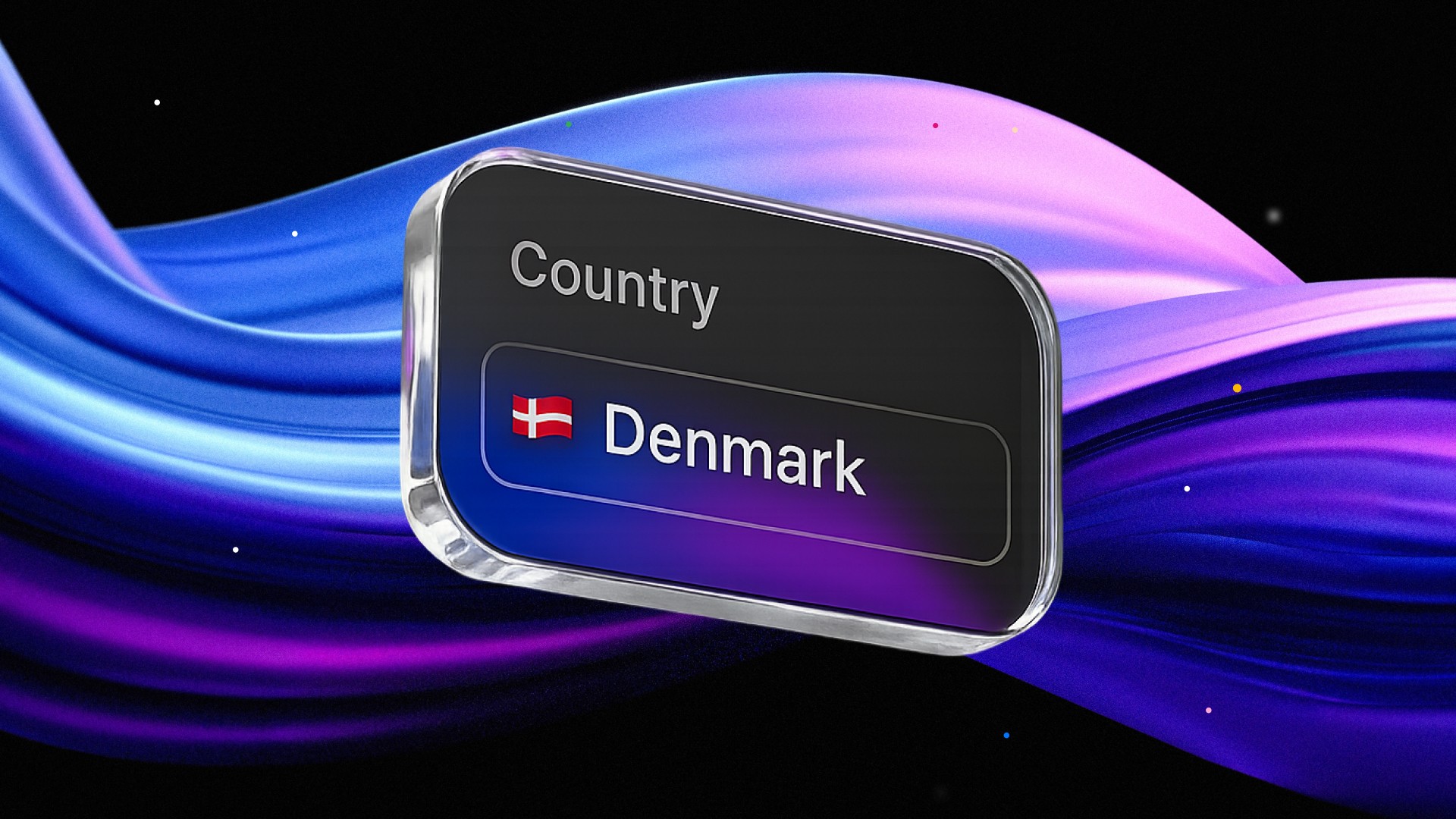
With this Framer component you can add a country and phone number input field to your forms seamlessly.

Added on

Country & Phone Input Field for Framer
Contents
No headings found

Read changelog

Introduction

This component is a Framer resource designed to facilitate country selection and/or, phone number input. Whether you're building user registration forms, contact pages, or international interfaces for personal projects, framer templates or client projects, this component integrates seamlessly with your forms. It offers two variants: Phone for a combined country selector and phone number field, or Locale for standalone country selection, with extensive customization options to align with your needs.

Component Features

There are multiple smart features about this component that benefit UX for the user and help facilitate conversions.

The best part about this component is that there is no masking, or fake elements that you place on top of a native Framer form field. You just drop the component in your current Framer form and it connects automatically to the form acting just like any other input field.

The dropdown has a search field that makes it very easy to find the country you are looking for if scrolling is not desired. If no results are found due to misspelling the search field will just show a "No matches found".

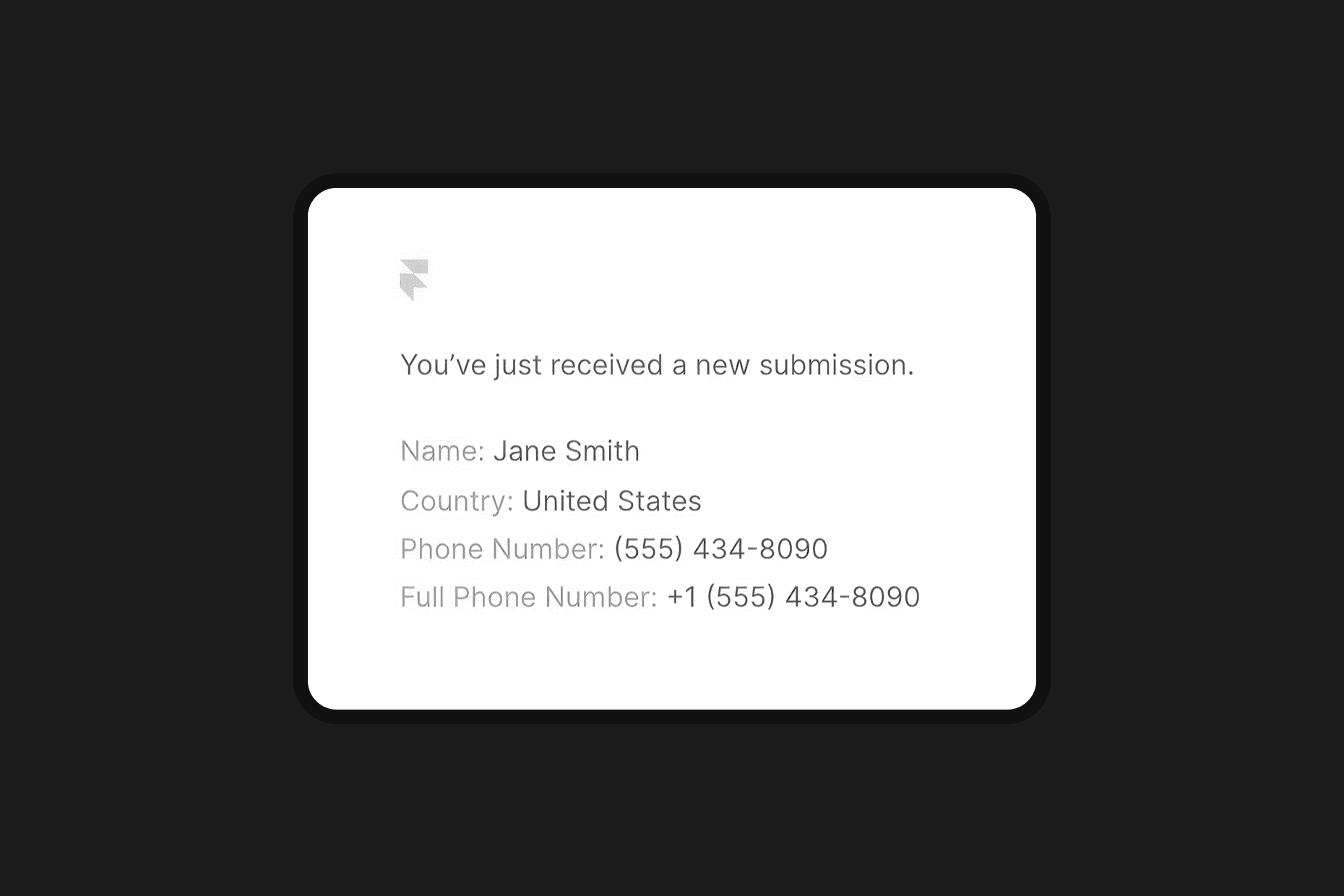
Once the form is submitted, the data you receive from the component input fields are exactly like the native Framer ones, with one addition, the phone number is separated into two fields, one is the phone number and the other is the full phone number (with country code).

The Phone variant contains auto-formatting for phone numbers which help facilitate readability and make it seem professional and polished. If a phone number has been introduced and the country is changed, the phone number will automatically be reformatted.


Video tutorial by Akin Gundogan, make sure to check out his Youtube channel!

Let's dive into controls that are built in to help you customize it:

Variant

Select between Phone to include both country selection and phone number input, or Locale for country selection only.

Default Country

Choose the initial country displayed in the selector from a comprehensive list of global locales.

Show Flag

Toggle the display of country flags for visual identification alongside country names.

Flag Type

Choose between emojis or images to act as a flag.

Show Phone Code

Toggle the display of country phone codes in the selector (applicable in Phone variant).

Required

Make the phone number input a required field (applicable in Phone variant).

Font

Customize the font family, size, weight, and other typographic properties for the component's text.

Text Color

Set the color of the text in the input and dropdown for design consistency.

Placeholder Color

Set the color of the placeholder text in the phone input (applicable in Phone variant).

Background Color

Customize the background color of the input field to match your project's aesthetic.

Border

Adjust the border width, style, and color of the input field.

Radius

Set the border radius of the input field for rounded corners.

Padding

Adjust the internal padding of the input field for spacing control.

Shadows

Add a box shadow to the input field for depth and elevation.

Focus Styling

Customize the background color, border, and shadow when the input is focused to enhance user interaction feedback.

Dropdown Styling

Customize the dropdown menu's border radius, border, background color, shadow and height for a cohesive look.

Search Field Styling

Customize the search field's border radius, border, background color, hover color, and shadow within the dropdown.

Transition

Configure animation transitions for interactive elements like focusing the input or opening the dropdown, ensuring a smooth user experience.

Does it work with native Framer forms?
icon

Yes. There is no masking and no fake element layered on top of a Framer input. You drop the component into an existing form and it connects automatically, behaving like any other input field.

What data do I get when the form is submitted?
icon

Exactly what native Framer fields return, with one addition. The phone number arrives as two values, the number on its own and the full number including the country code.

Can I use it for country selection without a phone number?
icon

Yes. Switch the variant to Locale for a standalone country selector. Use the Phone variant when you want the country dropdown and the number field combined.

Can visitors search the country list?
icon

Yes. The dropdown includes a search field so nobody has to scroll through every country. If a spelling matches nothing, it shows a no matches found message rather than an empty list.

What happens if someone changes country after typing a number?
icon

The number reformats automatically to match the new country. The Phone variant also formats as people type, so the value stays readable throughout.

Get a free

domain with Framer

Meet your new social media planner.

Attract, engage, convert. Simple.

swiper fintech framer template

New Framer Template just Dropped

swiper fintech framer template

Recommended articles

Loved this? Keep exploring with our handpicked Framer resources, dive deeper, sharpen your skills and level up your Framer game.

The Best Framer Templates for Fintech and SaaS in 2026

The Best Framer Templates for Fintech and SaaS in 2026

What a Framer Website Actually Costs in 2026: Template vs Freelancer vs Agency

What a Framer Website Actually Costs in 2026: Template vs Freelancer vs Agency

The Best Framer Portfolio Templates in 2026

The Best Framer Portfolio Templates in 2026

Light & Dark Theme Toggle for Framer

Light & Dark Theme Toggle for Framer

Top 15 Must-Have Framer Plugins for 2026

15 Must-Have Framer Plugins for 2025

Framer vs Figma Sites in 2026: Which Should You Actually Build On?

Framer vs Figma Sites in 2026: Which Should You Actually Build On?

The 15 Best Free Framer Fonts in 2026

Top 15 Free Framer Fonts to Improve Your Designs in 2025

The Best Framer Templates for Beauty Clinics and Salons in 2026

The Best Framer Templates for Beauty Clinics and Salons in 2026

Shuffle Cloned Instances Component for Framer

shuffle cloned instances component for Framer

Table of Contents Component for Framer

table of contents component for Framer

Framer vs Webflow: Which Platform is Best for Web Design in 2026?

Framer vs. Webflow: Which Platform is Best for Your Web Design Needs?

Pixelated Preloader for Framer

pixelated preloader component for framer by pixcodrops.com

Autoplaying Carousel Component for Framer

preview of an autoplaying vertical carousel with background change for framer

Scroll Spin Gallery Component for Framer

scroll spin gallery component for framer by pixcodrops.com

Timed Popup Ad Component for Framer

Timed Popup Ad Component for Framer

How to Edit a Framer Site with Claude Code

How to Edit a Framer Site with Claude Code

What Framer Academy Teaches, and What It Costs

What Framer Academy Teaches, and What It Costs

How the Framer Marketplace Actually Works

How the Framer Marketplace Actually Works

Where Vibecoded Sites Break and a Template Still Wins

Where Vibecoded Sites Break and a Template Still Wins

Fintech App Design Patterns That Actually Convert

Fintech App Design Patterns That Actually Convert

How to Move a Site from Webflow to Framer

How to Move a Site from Webflow to Framer

The Best Framer Templates for Fintech and SaaS in 2026

The Best Framer Templates for Fintech and SaaS in 2026

What to Look for in an Agency Website Template

What to Look For in an Agency Website Template

Best Free Framer Templates in 2026

Best Free Framer Templates in 2026

What an Airbnb Rental Website Needs

What an Airbnb Rental Website Needs

How to Structure a SaaS Marketing Site

How to Structure a SaaS Marketing Site

What a Framer Website Actually Costs in 2026: Template vs Freelancer vs Agency

What a Framer Website Actually Costs in 2026: Template vs Freelancer vs Agency

The Best Framer Portfolio Templates in 2026

The Best Framer Portfolio Templates in 2026

Light & Dark Theme Toggle for Framer

Light & Dark Theme Toggle for Framer

Top 15 Must-Have Framer Plugins for 2026

15 Must-Have Framer Plugins for 2025

How to Edit a Framer Site with Claude Code

How to Edit a Framer Site with Claude Code

What Framer Academy Teaches, and What It Costs

What Framer Academy Teaches, and What It Costs

How the Framer Marketplace Actually Works

How the Framer Marketplace Actually Works

Where Vibecoded Sites Break and a Template Still Wins

Where Vibecoded Sites Break and a Template Still Wins

Fintech App Design Patterns That Actually Convert

Fintech App Design Patterns That Actually Convert

How to Move a Site from Webflow to Framer

How to Move a Site from Webflow to Framer

The Best Framer Templates for Fintech and SaaS in 2026

The Best Framer Templates for Fintech and SaaS in 2026

What to Look for in an Agency Website Template

What to Look For in an Agency Website Template

Best Free Framer Templates in 2026

Best Free Framer Templates in 2026

What an Airbnb Rental Website Needs

What an Airbnb Rental Website Needs

How to Structure a SaaS Marketing Site

How to Structure a SaaS Marketing Site

What a Framer Website Actually Costs in 2026: Template vs Freelancer vs Agency

What a Framer Website Actually Costs in 2026: Template vs Freelancer vs Agency

The Best Framer Portfolio Templates in 2026

The Best Framer Portfolio Templates in 2026

Light & Dark Theme Toggle for Framer

Light & Dark Theme Toggle for Framer

Top 15 Must-Have Framer Plugins for 2026

15 Must-Have Framer Plugins for 2025

FRAMER DISCOUNT

Host your website on Framer

Enjoy 3 months free on your Pro Annual Subscription when you sign up on Framer. Simply enter the code partner25proyearly at checkout.

FRAMER DISCOUNT

Host your website on Framer

Enjoy 3 months free on your Pro Annual Subscription when you sign up on Framer. Simply enter the code partner25proyearly at checkout.

FRAMER DISCOUNT

Host your website on Framer

Enjoy 3 months free on your Pro Annual Subscription when you sign up on Framer. Simply enter the code partner25proyearly at checkout.

framer resources by pixco

FREEBIES

Framer snacks
on the house

Snag slick components and magic-level code overrides for your next project. Totally free because you're awesome like that.

framer resources by pixco

FRAMER RESOURCES

Framer snacks
on the house

Snag slick components and magic-level code overrides for your next project. Totally free because you're awesome like that.

framer resources by pixco

FRAMER RESOURCES

Framer snacks on the house

Snag slick components and magic-level code overrides for your next project. Totally free because you're awesome like that.