Introduction
Add a retro pixelated preloader to your Framer sites with this customizable component. Unlike timed fakes, this preloader waits for the page to actually load.
Adjust pixel size, select from three reveal effects (top to bottom, bottom to top, or random), and set any color to match your design.
It's straightforward to implement in personal projects, templates, or client work—providing a clean, reliable loading experience with a touch of nostalgia.
Don't have the component yet? Purchase it here.

Getting Started
Click on the remix link you received from Lemon Squeezy which will open the project in Framer. Grab the component from the canvas by copying and pasting it into your own project.
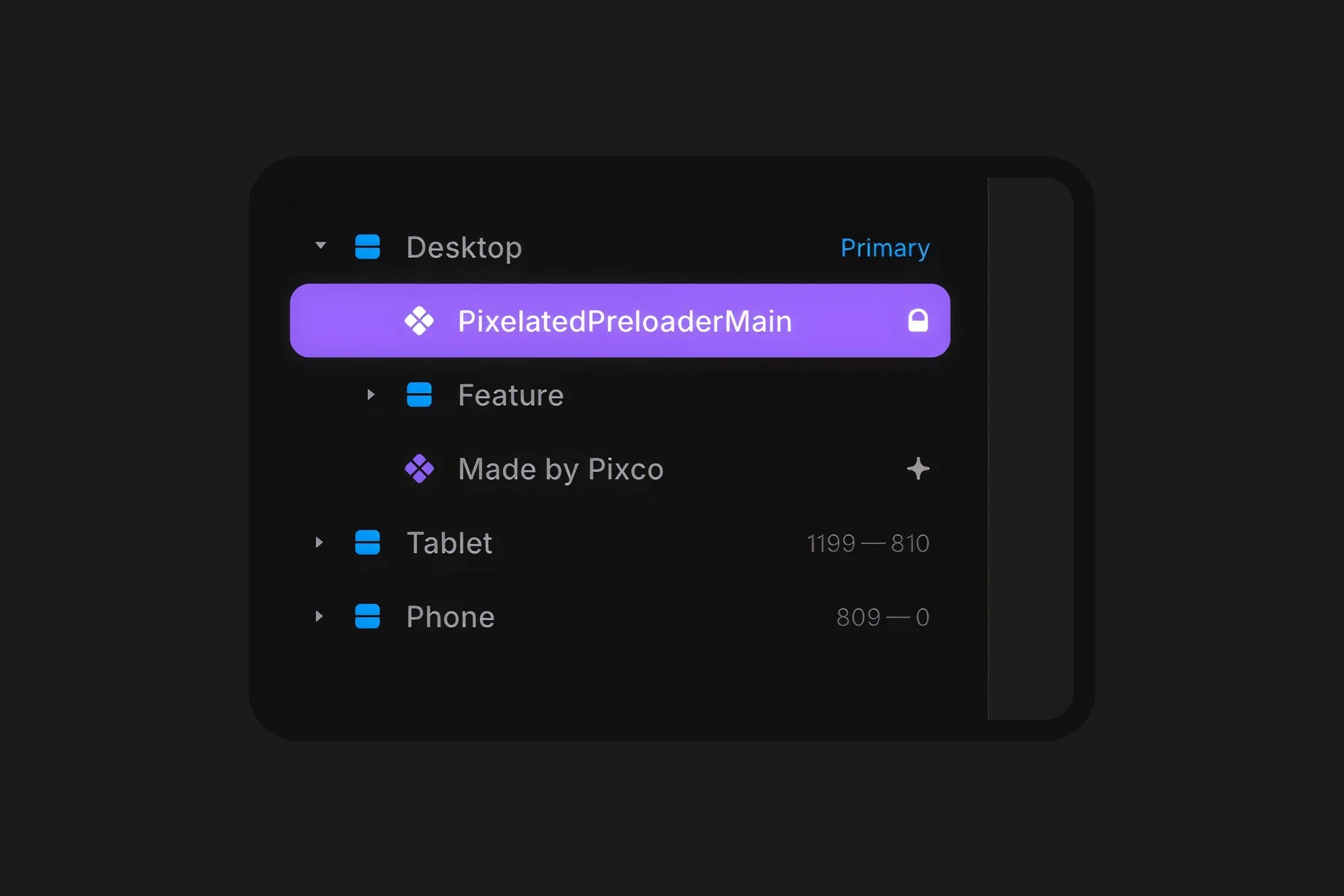
Make sure you grab the layer at the top called PixelatedPreloaderMain. It is recommended that you keep it at the top of the page, per page, as is instead of unlinking the component or using it within page templates.
Component Features
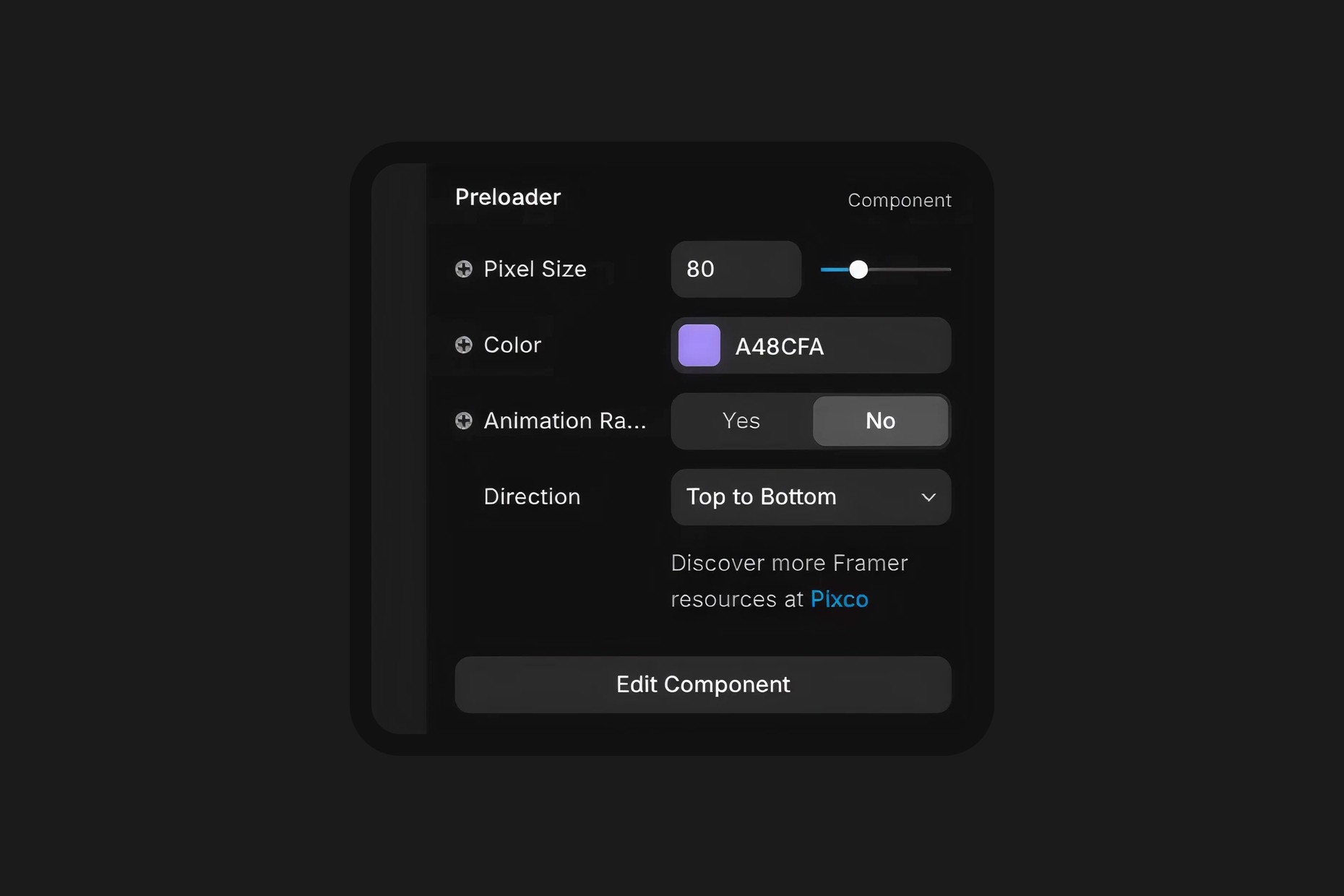
Pixel Size
Choose the size you want your pixels to be ranging from 60 to 140. Adjust accordingly based on preference and breakpoints.
Color
Set the color of the preloader, make it fun; you can potentially also use different colors per page.
Animation Random
Switch this toggle between ON/OFF. If it's set to OFF then you will see the controls for direction show up.
Direction
Shows when Animation Random is turned off and features either top to bottom or bottom to top.
You can see this component showcased in the Kierkegaard Framer template, where it adds a subtle retro vibe while delivering a distinctive, polished effect, especially when paired with other pixel themed components we've crafted.